Your service catalog
Organize cleaning and tailoring by category. Set per-item, per-pound, per-bag, or flat pricing, plus minimums, variants, modifiers, and taxable items.
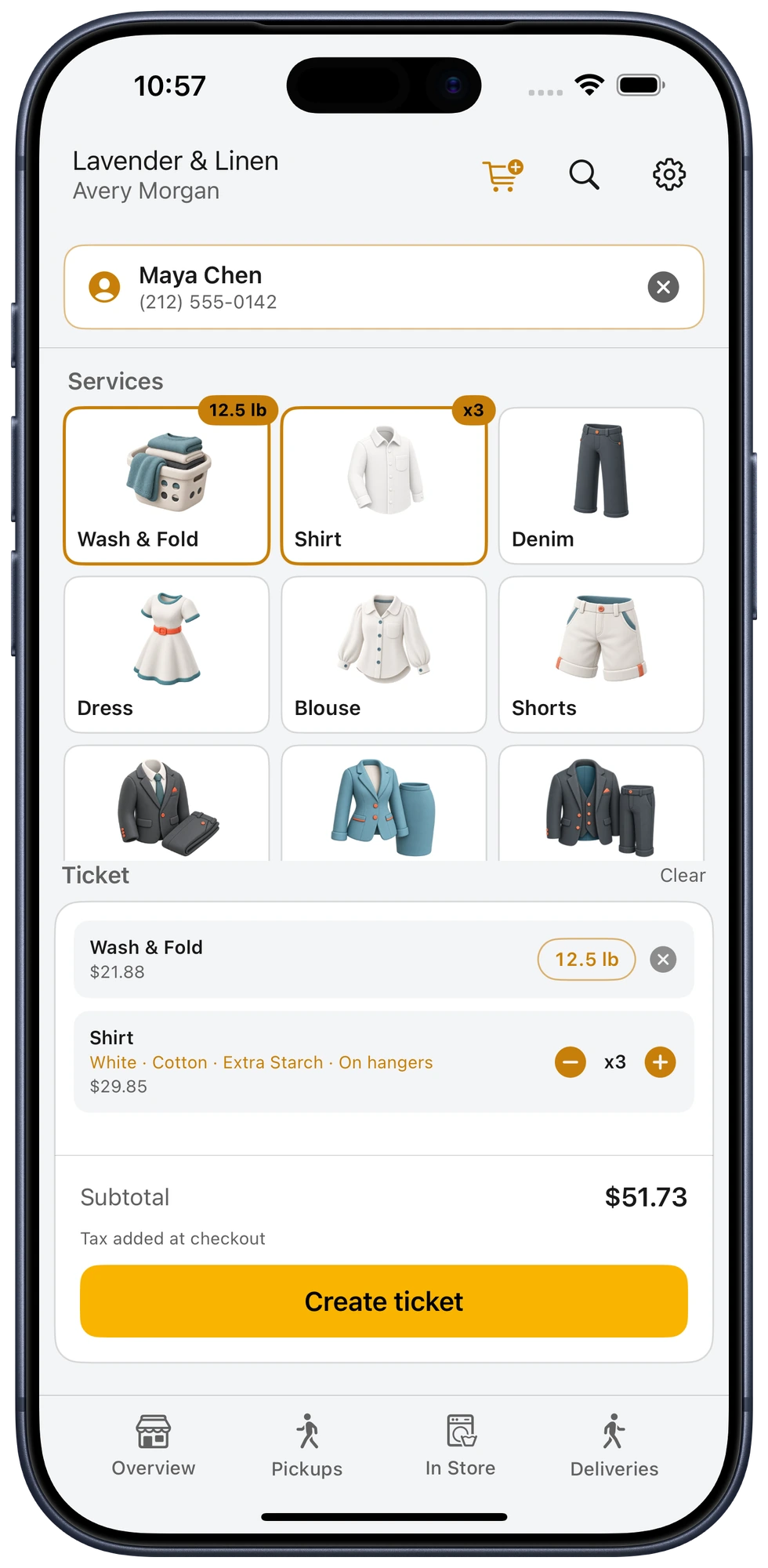
Ring up walk-ins, itemize app orders, collect payment, and keep every garment connected to the same shop workflow.
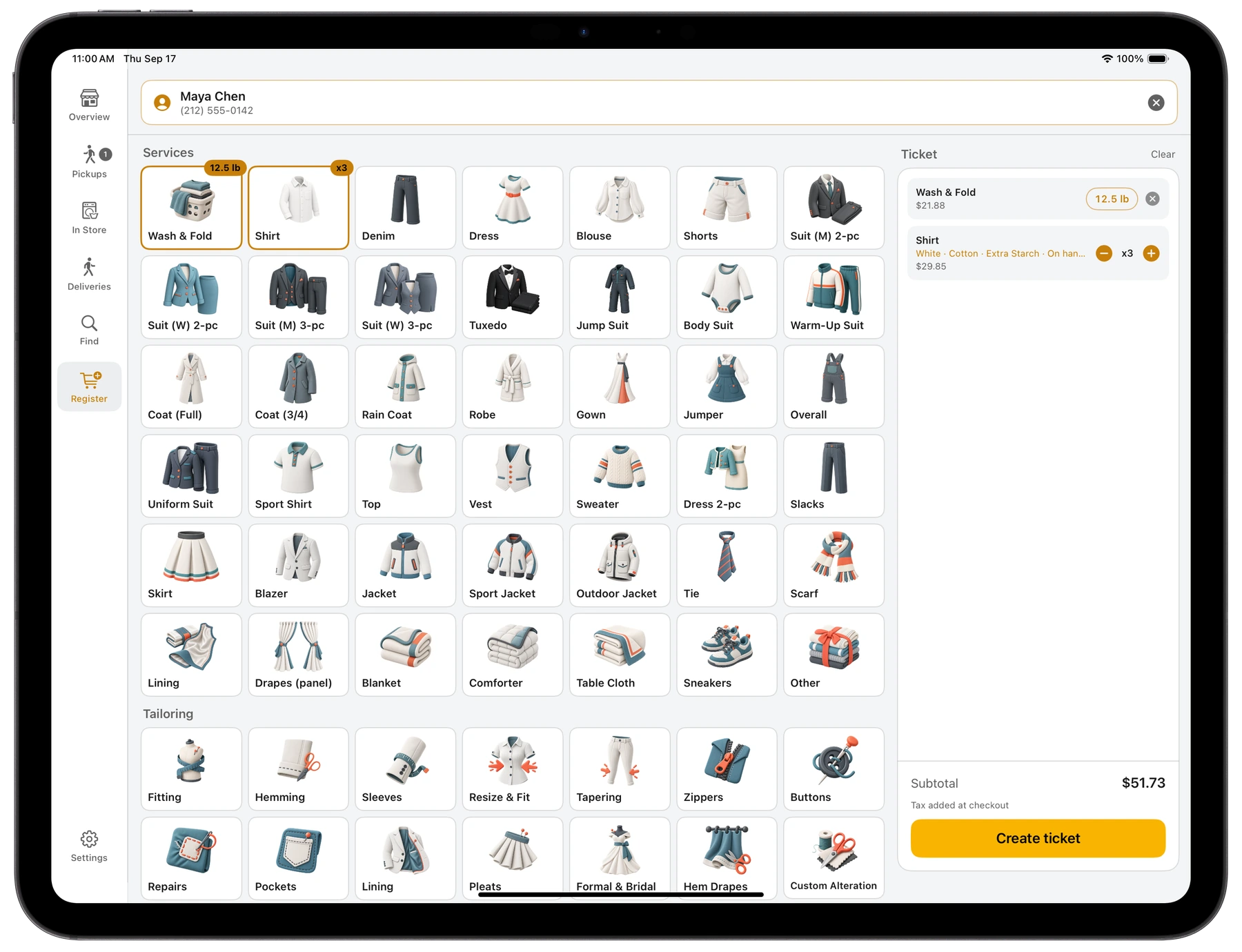
POS is built into Bubblē Vendor, so the ticket your team creates is already part of the order queue they use all day.
Organize cleaning and tailoring by category. Set per-item, per-pound, per-bag, or flat pricing, plus minimums, variants, modifiers, and taxable items.
Add color, fabric, starch and other add-ons, tailoring options, item notes, or a one-ticket price adjustment without changing the catalog.
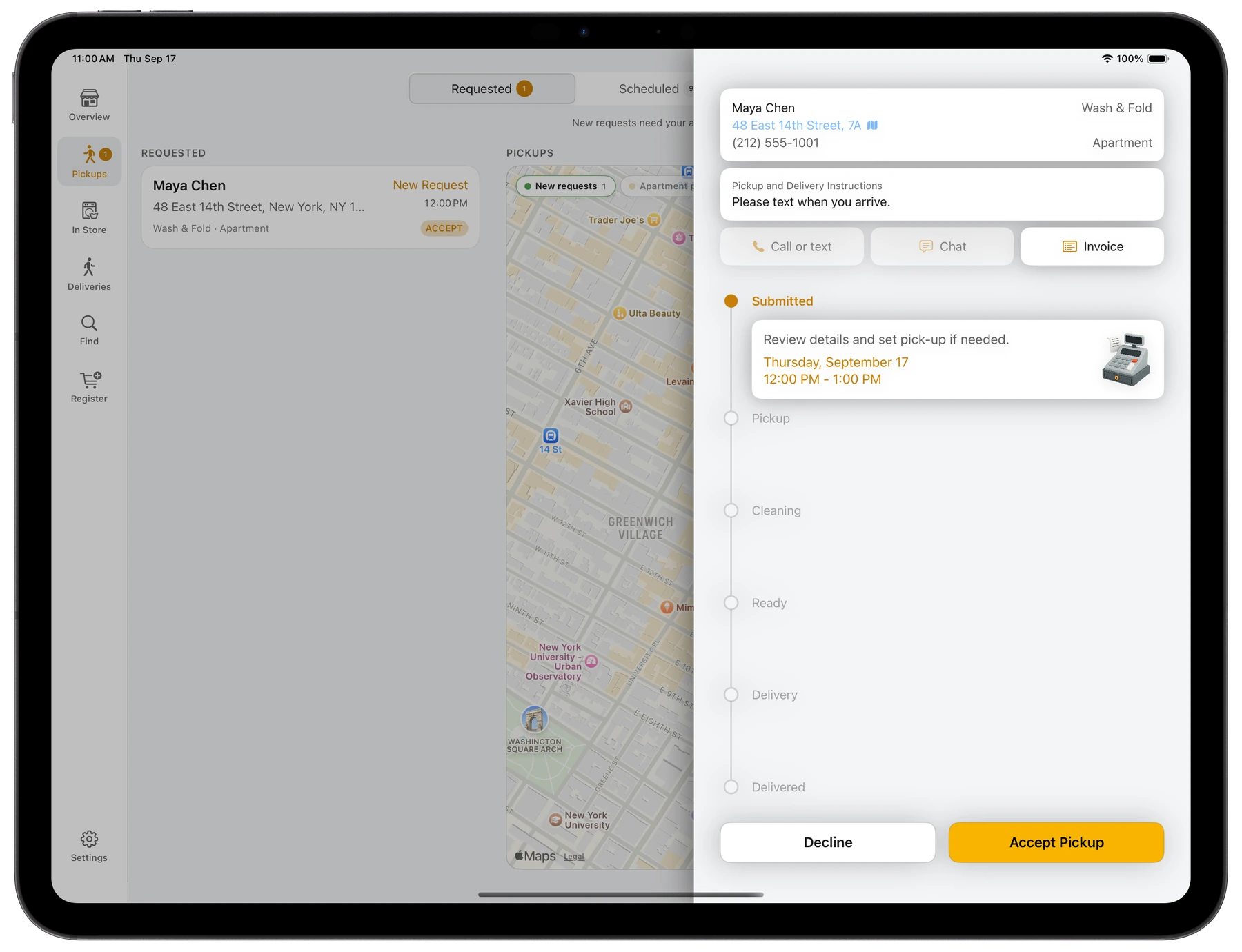
Search by name or phone, create a customer, start an anonymous ticket, or link an existing Bubblē order with its notes, photos, chat, and address.
Record cash, charge a saved card, use a supported Stripe reader, or text a secure payment link that marks the ticket paid when checkout completes.
Finalize an itemized receipt into the order chat, update it when needed, and keep payment status visible to staff instead of chasing a separate terminal record.
Connect supported network receipt and label printers. Print a counter ticket, claim code, and garment tags—including automatic tag printing when configured.
Find an existing customer, create one, keep it anonymous, or pull in an app order waiting to be itemized.
Tap services, enter weight or quantity, capture garment details, and add any special work before creating the ticket.
Send receipts or tags to the right printer, move the order through the in-store queue, and collect payment at the right moment.
The itemized ticket, fulfillment status, customer communication, and payment state stay together for the whole team.
No. Bubblē Vendor runs on iPhone and iPad. A larger iPad layout gives the catalog and ticket more room, while the phone version keeps the same core register available anywhere in the shop.
Yes. Each store controls its own catalog, categories, pricing units, minimum charges, variants, modifiers, taxes, and tailoring options. Catalog changes apply to new tickets without rewriting past receipts.
Yes. Staff can link an existing Bubblē order, review its customer notes and photos, add the actual garments or service weight, and send the completed receipt back into that order.
The checkout supports cash, a customer’s saved card, compatible Stripe card-reader payments, and secure texted payment links. Availability depends on your store’s payment setup and connected hardware.
Bubblē supports configured receipt and garment-tag printers on the store network. We’ll confirm compatibility and help configure the right receipt or label workflow during onboarding.

Tell us about your locations, catalog, payment flow, and current printers. We’ll walk you through the Vendor app and POS together.